Model download (MDL)
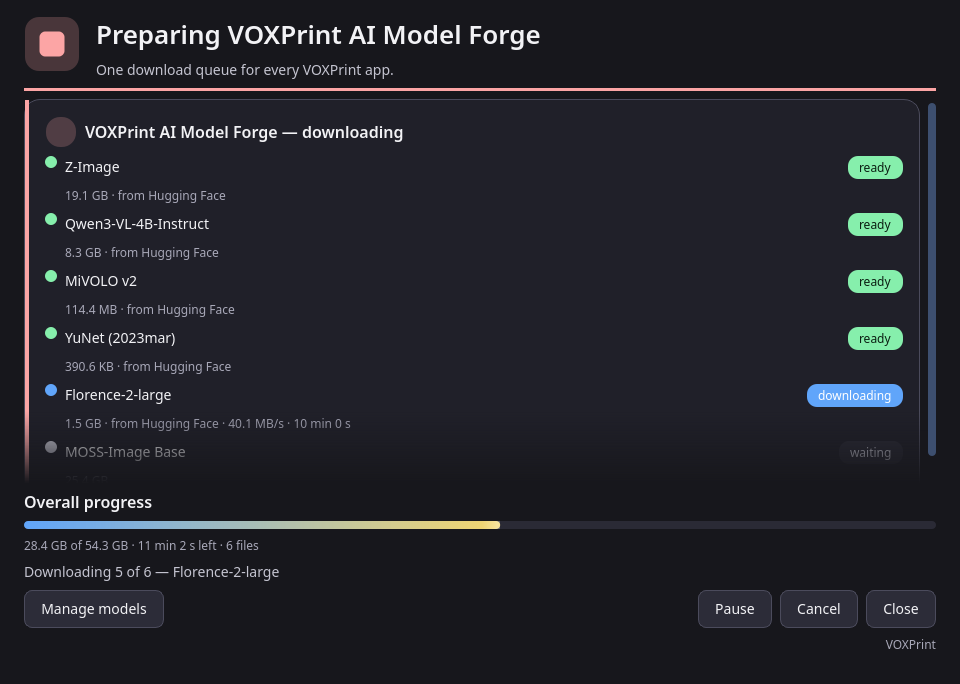
Model Forge needs some models before it can train. They are not inside the setup, so the setup stays small. On the first launch, open Check this computer and press Manage models. The VOXPrint model downloader (MDL) opens and downloads what is missing.
| Model | What it does | Source | Licence | Size |
|---|---|---|---|---|
| Z-Image (base) | The picture model the LoRA is trained on | Tongyi-MAI/Z-Image | Apache-2.0 | 20.5 GB |
| Qwen3-VL-4B-Instruct | Writes photo descriptions; required for preparing photos | Qwen/Qwen3-VL-4B-Instruct | Apache-2.0 | 8.9 GB |
| MiVOLO v2 | Required for preparing photos | iitolstykh/mivolo_v2 | Apache-2.0 | 0.1 GB |
| YuNet (2023mar) | Finds faces; required for preparing photos | opencv/opencv_zoo | MIT | under 1 MB |
| Florence-2-large | Backup description writer | microsoft/Florence-2-large | MIT | 1.6 GB |
| MOSS-Image Base | A second base model. Faster, and fits a 16 GB card | OpenMOSS-Team/MOSS-Image-Base | Apache-2.0 | 27.2 GB |
| Z-Image-Turbo | Draws the pictures in Build a set (optional) | Tongyi-MAI/Z-Image-Turbo | Apache-2.0 | 32.9 GB |
| DINOv2 base | Marks near-duplicate pictures in Build a set (optional) | facebook/dinov2-base | Apache-2.0 | 0.4 GB |
- Sources. Every model is downloaded from its author's official page, at a fixed version. The downloader checks each file against its published checksum before it is used.
- Licences. Each model keeps its own licence. Read it in Manage models before you use the model. Your LoRA inherits the licence of the base model it was trained on.
- Disk. Models go to the shared VOXPrint models folder, by default
%LOCALAPPDATA%\VOXPrint AI Suite\models. Other VOXPrint apps use the same folder, so a model is downloaded only once. - Background and resume. Downloads continue in the background if you close the downloader window, and they resume after an interruption. Pause and Cancel are at the bottom of the window.
To remove a model you no longer need, open Manage models again: it lists installed models with their size and licence.